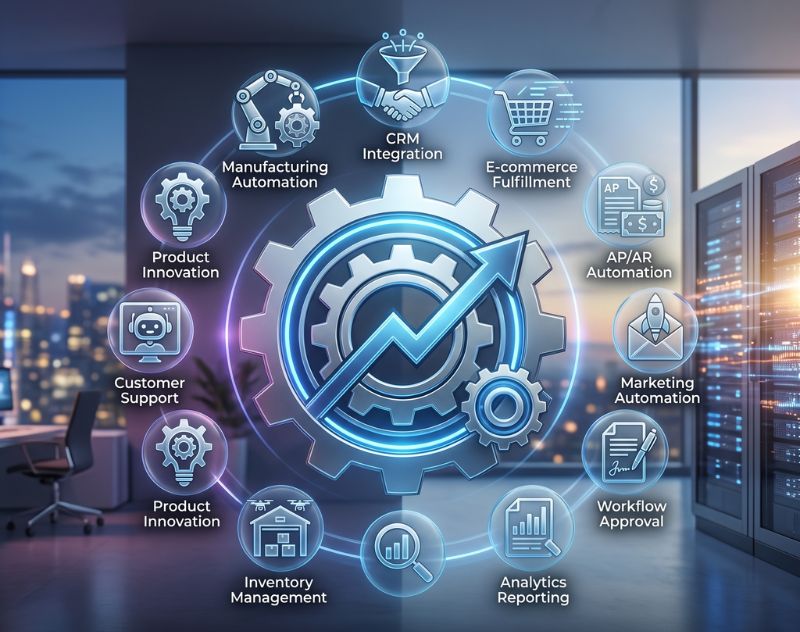
Business process services are no longer optional for companies aiming to grow efficiently in 2026. If your team is stuck handling repetitive tasks, chasing approvals, or fixing avoidable errors, automation offers a smarter path forward. Instead of scaling chaos, you scale systems. This guide explains how automation works, which services deliver the highest return, and how to implement them without disrupting your current workflow.
What Are Business Process Services?
Business process services refer to the use of technology to execute recurring tasks or processes where manual effort can be replaced. These services go beyond simple tools by integrating workflows, data, and systems into a unified structure. They are often supported by business process consulting, which ensures that inefficiencies are identified and resolved before automation is applied. This prevents businesses from accelerating flawed processes and instead builds a strong operational foundation.
Why Businesses Are Prioritising Automation in 2026
Modern businesses operate in fast-moving environments where delays directly impact revenue and customer satisfaction. Manual processes create bottlenecks, increase operational costs, and limit scalability. Automation solves these issues by improving efficiency, reducing errors, and enabling faster decision-making. For instance, a growing company using automation for order management and customer communication can significantly improve turnaround time without increasing headcount. This is why automation is now a core part of any effective business development service strategy.
10 Proven Business Process Services
Workflow Automation
Workflow automation connects tasks, approvals, and communication into a structured sequence. Instead of relying on emails or manual tracking, processes move automatically based on predefined rules. For example, when a purchase request is submitted, it can be instantly routed to the right manager based on budget thresholds, reducing delays and confusion.
CRM Automation
Customer relationship management automation ensures that no lead or customer interaction is missed. It tracks customer data, schedules follow-ups, and provides insights into buyer behaviour. Sales teams can focus on closing deals rather than managing spreadsheets, while businesses benefit from more consistent customer engagement.
Marketing Automation
Marketing automation helps businesses manage campaigns, nurture leads, and track performance without constant manual input. Emails can be triggered based on user behaviour, and social media posts can be scheduled in advance. This is especially useful for companies offering business development service solutions, as it allows them to maintain consistent communication with prospects.
Finance and Accounting Automation
Automating financial processes such as invoicing, payroll, and expense tracking reduces human error and ensures compliance. Businesses gain real-time financial visibility, which supports better decision-making and planning. It also eliminates the need for repetitive manual calculations and data entry.
Human Resource (HR) Automation
HR automation simplifies recruitment, onboarding, attendance tracking, and payroll management. For example, new employees can receive automated onboarding emails, document checklists, and training schedules. This creates a smoother experience for both HR teams and employees.
Supply Chain and Inventory Automation
Automation in supply chain management ensures accurate inventory tracking, timely restocking, and efficient order fulfilment. Businesses can avoid stockouts or overstocking by using real-time data and predictive analytics. This is particularly valuable for retail and manufacturing companies.
Customer Support Automation
Customer support automation uses chatbots, ticketing systems, and automated responses to handle common queries. This improves response times and ensures customers receive assistance even outside business hours. More complex issues can still be escalated to human agents when needed.

Document Management Automation
Document automation streamlines the creation, storage, and sharing of files. Contracts, reports, and approvals can be generated and processed automatically, reducing paperwork and improving accessibility. This is especially useful in industries with heavy documentation requirements.
Data Integration and Reporting Automation
Businesses often use multiple tools that don’t communicate with each other. Automation integrates these systems and generates real-time reports. This eliminates data silos and provides a clear overview of business performance, helping leaders make informed decisions quickly.
Compliance and Risk Management Automation
Automation ensures that regulatory requirements are consistently met by monitoring processes and generating audit trails. This reduces the risk of penalties and ensures transparency across operations. It is particularly important for industries with strict compliance standards.
How to Choose the Right Automation Services
Selecting the right automation services requires a clear understanding of your business needs. Start by identifying repetitive tasks that consume the most time. Evaluate whether these processes follow predictable rules, as these are ideal candidates for automation. It is also important to assess your current systems and ensure compatibility with automation tools. Working with experts in business process consulting can help you map workflows and prioritise high-impact areas.
Common Mistakes to Avoid
One common mistake is automating inefficient processes without fixing them first. This only accelerates problems instead of solving them. Another issue is choosing overly complex tools that your team struggles to adopt. Automation should simplify work, not make it harder. Businesses should also avoid neglecting employee training, as successful implementation depends on user adoption and understanding.
Practical Example of Automation in Action
Consider a service-based company handling multiple client projects. Without automation, project updates, invoicing, and communication require constant manual effort. By implementing workflow automation, CRM systems, and accounting automation, the company can streamline operations. Project updates are tracked automatically, invoices are generated on time, and clients receive regular updates without manual follow-ups. This results in better efficiency and improved client satisfaction.
Internal Linking Opportunities
At this stage, businesses can benefit from exploring related resources such as a detailed guide on workflow optimisation, a comparison of automation tools, or a service page explaining business process consulting solutions. These resources help deepen understanding and support informed decision-making.
Conclusion
Business process services offer a practical way to scale operations without increasing complexity. By reducing manual work, improving accuracy, and enhancing efficiency, automation allows businesses to focus on growth and innovation. The key is to start with the right processes, choose suitable tools, and implement them strategically. If you are looking to improve efficiency and drive long-term growth, consider evaluating your current workflows or consulting an expert to identify automation opportunities.
FAQs
What are business process services?
Business process services use technology to handle repetitive tasks and workflows, reducing manual effort and improving efficiency across different business functions.
How do automation services improve business growth?
Automation reduces operational costs, increases productivity, and allows teams to focus on strategic tasks, which directly contributes to faster and more sustainable growth.
Is automation suitable for small businesses?
Yes, small businesses can benefit significantly from automation by saving time, reducing errors, and managing operations more efficiently without hiring additional staff.
What is the difference between automation and business process consulting?
Automation focuses on executing tasks using technology, while business process consulting identifies inefficiencies and designs improved workflows before automation is applied.